Lunatico CloudWatcher and Solo review: keeping an eye on the sky while we get on with life
Four months of British weather, one rain sensor with trust issues, and the quiet automation that lets the BeyondBackyard observatory look after itself.
BeyondBackyard — initial review, October 2026. Installed June 2026; one-year follow-up planned for June 2027.
Disclosure
Lunatico supplied the equipment for an honest initial review and a follow-up after a year of ownership. No money changed hands for this review. These are our own opinions, based on our experience at the BeyondBackyard observatory. Lunatico will first see this article when it is published. We have the option to purchase the equipment after the review, and intend to do so.
There comes a point in astrophotography when you realise that your equipment has a better social life than you do. It gets to spend the evening under the stars. You get to keep checking the weather, interrupt dinner and wonder whether that cloud is heading your way.
We know the routine. Between us, we have run freestanding rigs in the garden and taken the leap into remote imaging in southern Spain. We have spent evenings setting up, lost time to weather and collected subframes whose main contribution to the final image was being deleted.
In 2026, we built a home observatory in the rural Cambridgeshire Fenlands. Its purpose was to give BeyondBackyard somewhere to test equipment properly and help the community understand what they are buying. We try it before you buy it. Occasionally, that also means finding out which part of a project will consume the next three weekends.
Automation was part of the plan from the beginning. We wanted the observatory to monitor conditions, open when appropriate, close when necessary and let N.I.N.A. get on with imaging. With several piers and borrowed review equipment involved, protecting the contents mattered just as much as collecting data.
That brought us to the Lunatico CloudWatcher, its rain sensor and anemometer, and the CloudWatcher Solo.
Four months later, we are very glad it did. The combination has become a dependable part of the observatory, and we have grown rather attached to something whose main talent is quietly getting on with its job. Here is how it has fitted into ours, including the few things we had to learn along the way.
Why we chose this combination
Before agreeing to review the package, we seriously considered building our own weather-monitoring system. We enjoy making things. Our subsequent roof-controller project provides fairly compelling evidence of that.
What persuaded us to start with Lunatico was its established use in the astronomy community and in remote observatories. We also had experience of a site using Lunatico controllers through our rented pier at Pixel Skies Astro in southern Spain. That familiarity gave us confidence in the manufacturer, although it was not a substitute for testing this particular equipment ourselves.
An observatory represents a substantial investment. When some of its contents belong to other people, your enthusiasm for experimental weather protection becomes rather more restrained.
The Solo appealed for a practical reason: we did not want to leave a dedicated PC running solely to manage the weather station. Each imaging pier already has its own computer or mini PC. At some point you have to stop adding computers to a shed and remember that you originally went outside to look at space. The Solo lets the weather monitoring carry on independently of those machines.
Lunatico puts the Solo's own consumption below 2W. We have not measured that ourselves, and the outdoor sensors add their own demand, but avoiding another dedicated PC was exactly what we wanted. Solo specifications
What we actually tested
Our supplied equipment comprised:
- CloudWatcher with relative humidity and atmospheric pressure sensors and a 5-metre cable, model BCW001-05-HS.
- CloudWatcher Solo, model BCW00S.
- CloudWatcher anemometer, listed as BCWANE.
- Combined CloudWatcher and anemometer mounting bracket with U-bolts, model AMCAAG02.
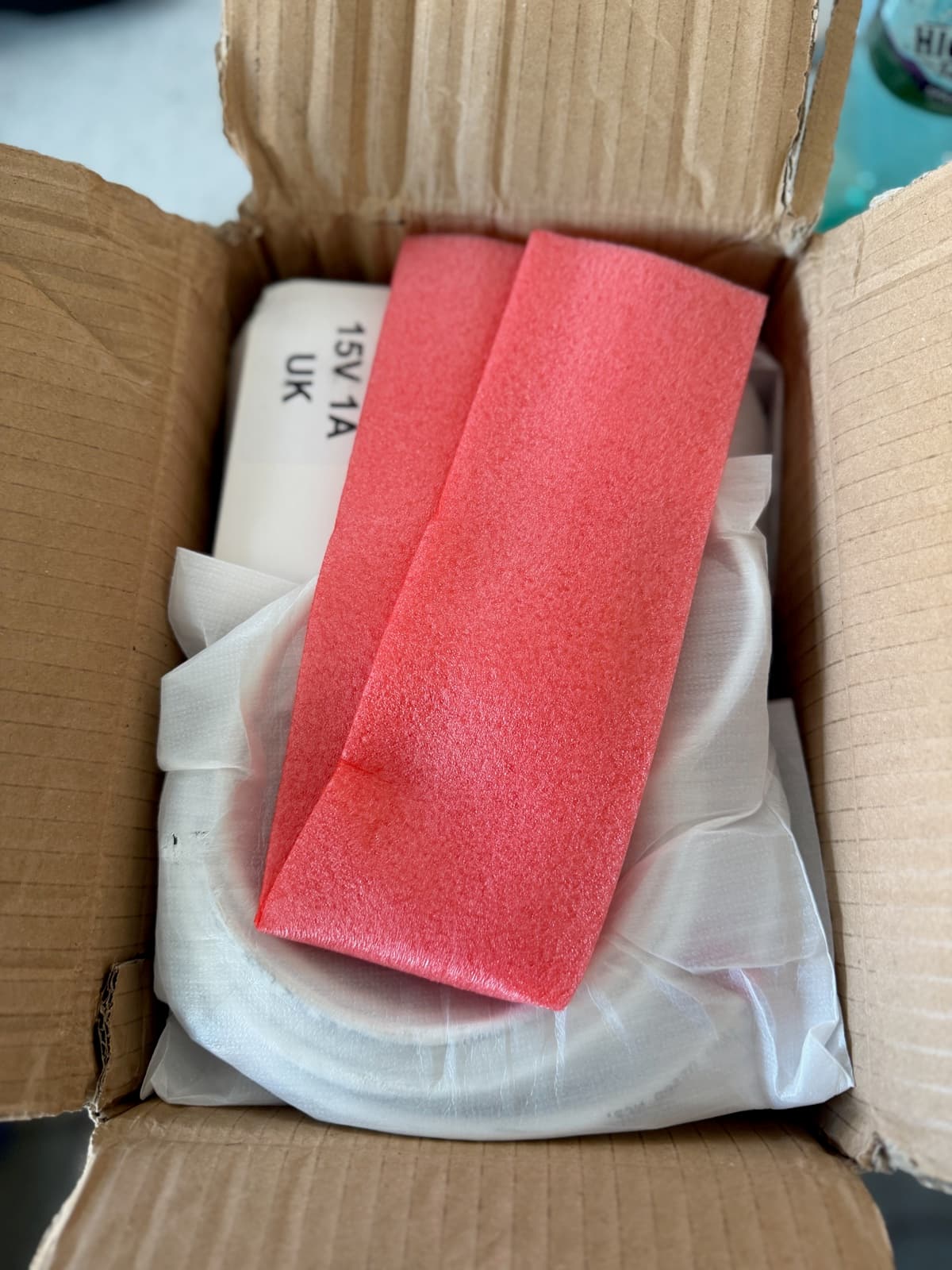
- A 15V DC, 1A power supply with UK plug, model BCAFU17.
We installed the system in June 2026, giving us roughly four months of use for this first review. The British winter has yet to submit its assessment. We will come back in June 2027 to see how the equipment has coped with a full year outside.
You will also meet our motorised roof and custom observatory controller along the way. We will explain where they fit, because some of the automation described here is our own work. Lunatico did not ship us an entire functioning observatory. We checked the bottom of the box.
Arrival, unboxing and installation
Delivery took a while. Lunatico kept us informed that it was waiting for a fresh production batch. British customs then contributed its own interpretation of the word “express”.
When the parcel finally arrived, the packaging was reassuringly secure. Unboxing felt like Christmas had come early, albeit with more weather sensors and fewer chocolates. The equipment felt robust, and putting the outdoor assembly together was straightforward.
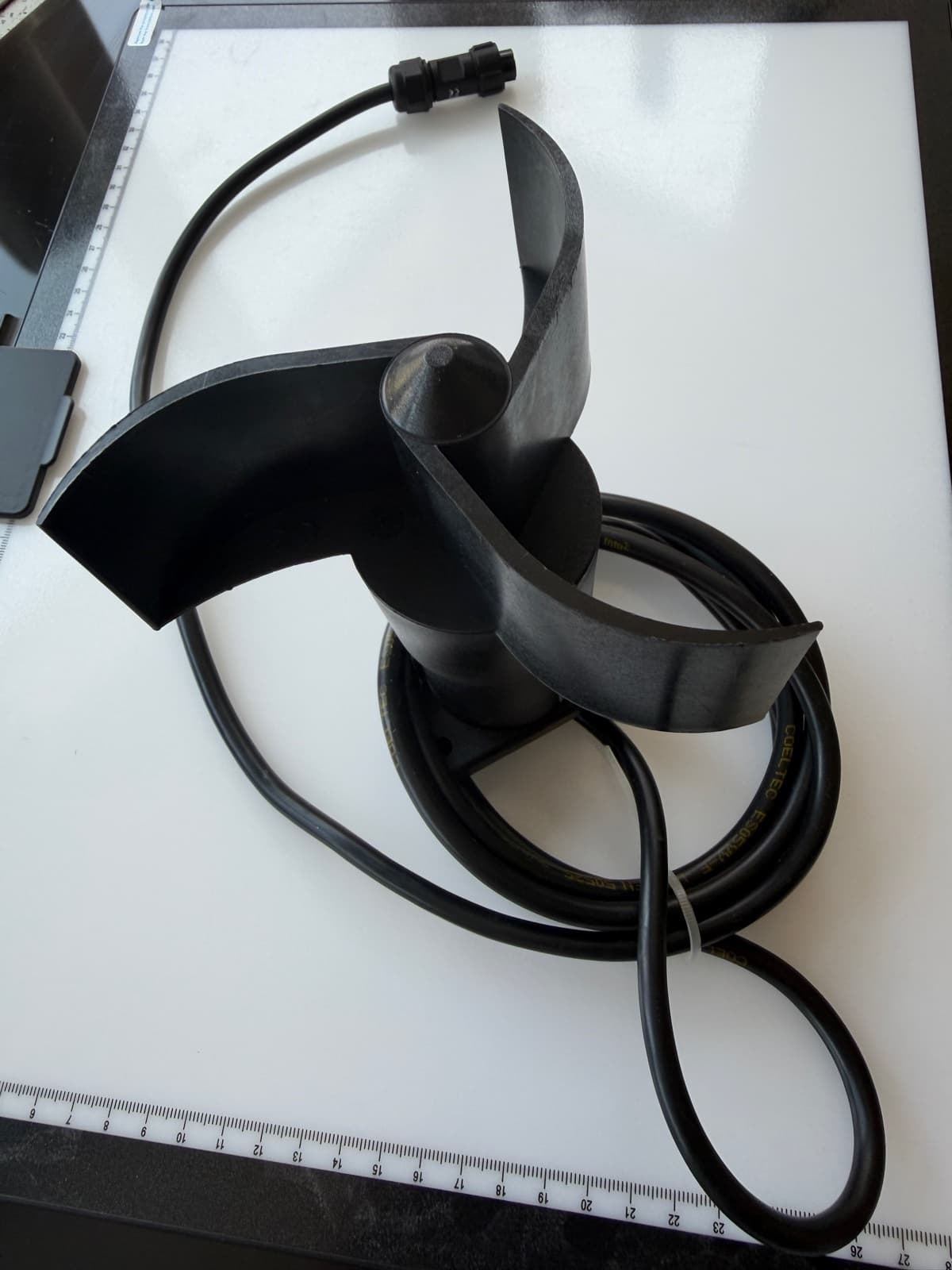
The metal bracket supplied in our review package holds the CloudWatcher at an angle to help water run off, with the anemometer attached to the same assembly. Once both were secured, we mounted the bracket to the pier.
We were particularly careful with the CloudWatcher's protective coating. Damaging the weather protection while installing a weather monitor would be an awkward way to begin a review. Lunatico's guidance confirms that the coating should be protected from damage. Maintenance guidance
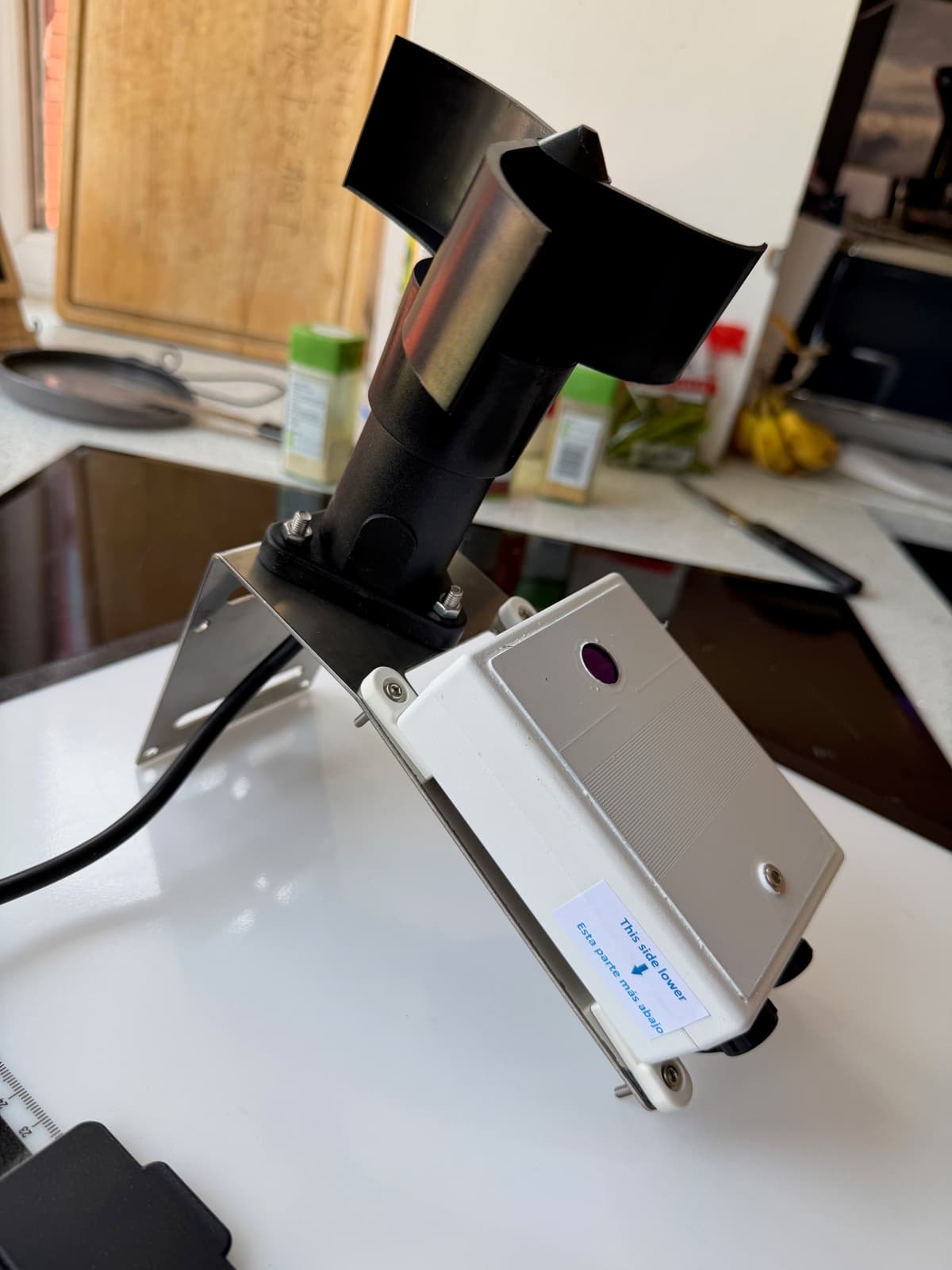
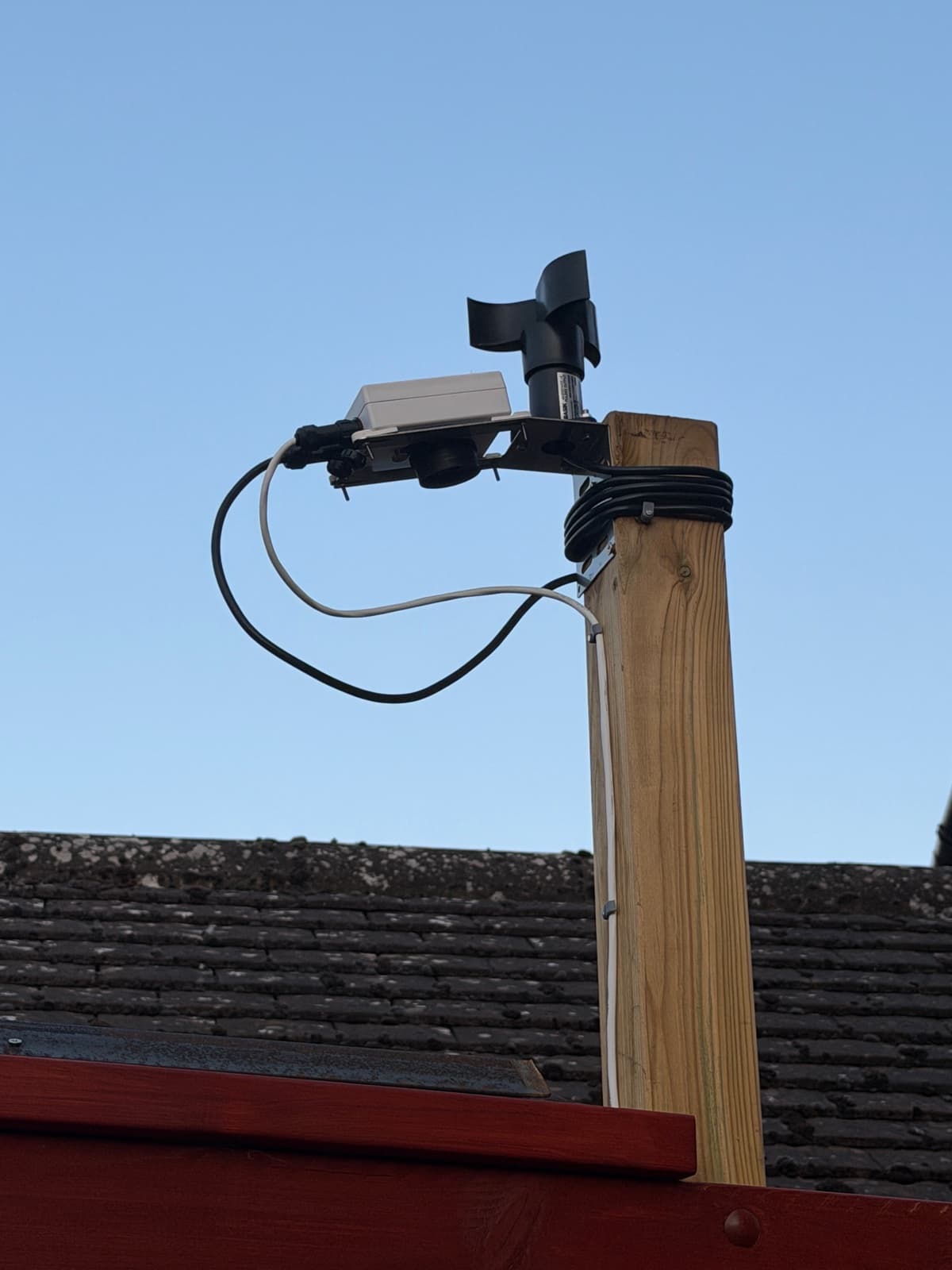
Our sensor assembly sits about three metres high, between the houses and approximately 2.5 metres from the observatory. We chose the position to give the CloudWatcher a good view of the sky. The 5-metre cable runs along the roof rails and into the observatory, where the Solo is mounted on the wall.
The location does have a drawback. The gap between the houses gives the wind a little encouragement, so the anemometer can experience stronger draughts than we believe are reaching the observatory itself. We accept the precautionary closures that follow. It also means our wind settings make more sense once you have seen where we put the sensor.
There was no printed documentation in our box, so setup involved a visit to Lunatico's website. We found the instructions clear, with nearly everything we needed easy to locate. The site has been updated during our review period and is now easier to navigate still. For equipment intended to help protect the entire observatory, the physical installation was almost disappointingly uneventful. We are used to astronomy accessories putting up more of a fight.
Getting the Solo online
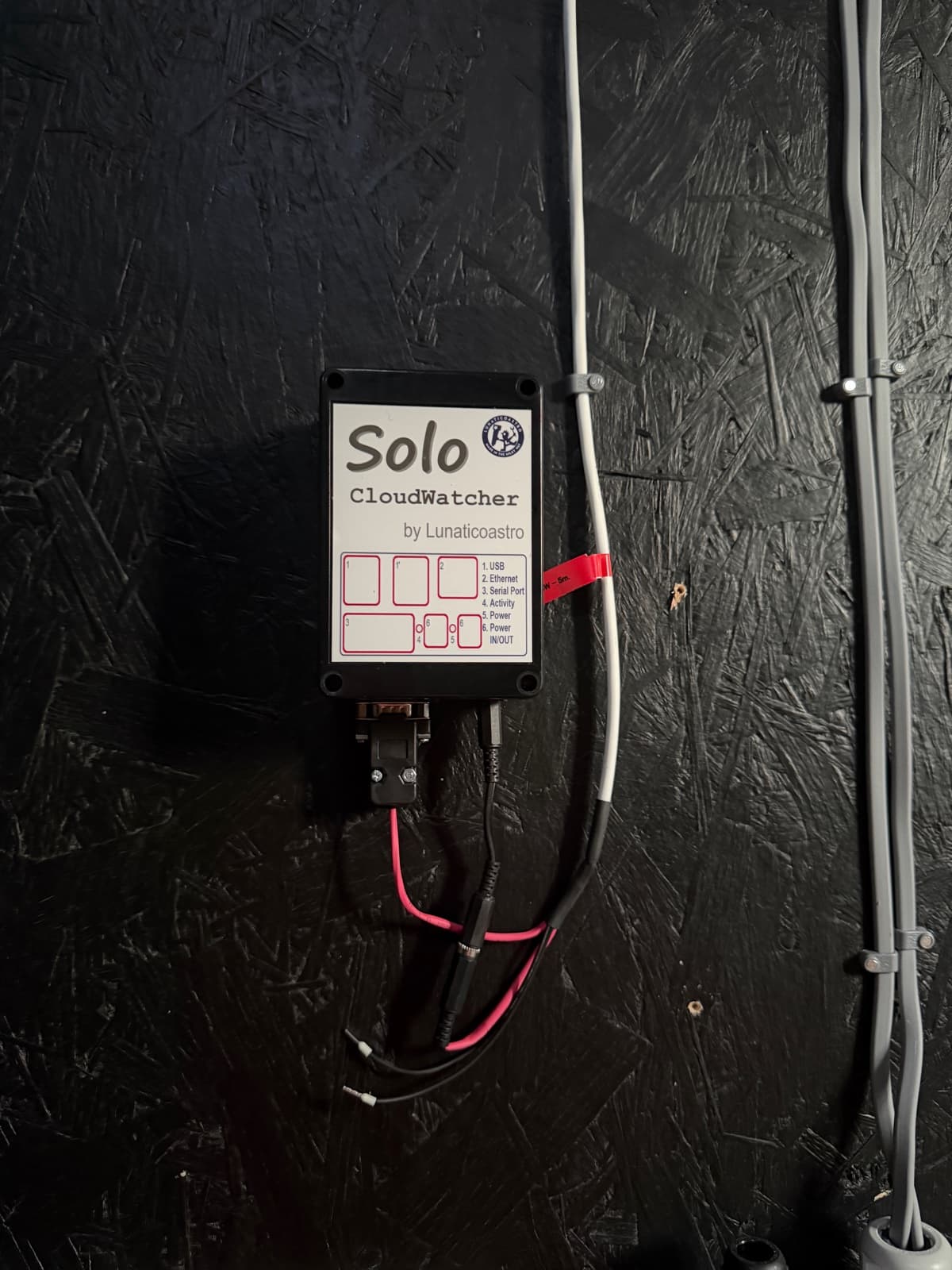
Getting the Solo online was similarly straightforward. Ethernet cable into the observatory switch, follow the instructions for a static IP address, and there it was. A networking job that ended at the networking stage. We appreciated that.
Our observatory has its own VLAN, effectively a separate network for its equipment. We gave the Solo an address in that range and it connected straight away. If you have no interest in VLANs, the useful part is simply that it joined our existing network without a struggle.
Finding the settings took a little more attention. Visiting the Solo's address brings up the readings, while configuration lives behind the cog button or the/config/ address. We had found out what the weather was doing before finding out how to tell the Solo what we wanted it to do about it. Lunatico documents the configuration page as https://aagsolo/config/, with the default username solo and password cloudwatcher. Solo configuration guide
Once we knew where to look, the settings were straightforward to navigate.
A small disagreement about whether it was raining
Our one significant setup issue came from the rain sensor. It reported unsafe conditions while dry. British pessimism is understandable, but we did need it to base the decision on the weather actually happening. The initial rain thresholds did not suit the readings from our unit.
We emailed Lunatico, and Javier promptly explained how to establish suitable thresholds: record the dry reading, apply a few drops of water to the sensing area and observe the change, then wet it further to establish another reference point. He also supplied supporting guidance.
We followed the advice, adjusted the settings and the false rain alerts stopped. It has worked as expected since. The sensor and the actual weather were finally in agreement.
Calibration is probably the part a less experienced owner will find most challenging. A screen full of numbers looks reassuringly scientific, right up until you have to decide which number means the roof should shut. Having someone explain how the readings relate to a dry, wet or rain-covered sensor made the job much easier.
We would direct readers to the current instructions for their particular rain sensor rather than suggest copying our values. Lunatico's calibration guide distinguishes between sensor generations. Rain sensor calibration
One email got us an explanation we could use and a problem we could fix. That is the sort of support we want when the device in question has a say in whether our telescopes get a bath.
How the roof makes its decisions
In our observatory, the Solo supplies the weather information and safety status, and our custom controller handles the roof. That arrangement keeps the roof working even when the imaging computers are offline. The weather does not wait for a computer to boot, and we wanted the roof to share that sense of urgency.
We had not originally planned to build a separate controller. Our roof motor needs separate open and close control inputs, so we built an interface between it and the weather system's safety output. That should have been the end of it. Then came the extra features, the apps and the Discord integration. A small job had acquired a development roadmap. This is how we lose weekends.
Our controller currently uses the Solo's published oneLine data. We have also used its wired safety signal as a backup, checking the two paths against one another. With that backup in use, our controller requires agreement before allowing the roof to open and closes it if the signals disagree. We gave the roof a very simple approach to an argument: go home and shut the door.
Both paths originate from the same weather system, so that arrangement checks consistency. Independent weather verification would require another set of sensors. The wired backup is not currently in use, which is why “Use switch” is unticked in our current settings capture.
During our earlier backup test, we temporarily altered the oneLine data to report high winds while the other safety signal remained safe. The roof closed. We had invented some bad weather and the controller had responded correctly, without needing Cambridgeshire to organise a demonstration. That verifies this particular disagreement test; other failure scenarios still need their own checks.
N.I.N.A. on each imaging computer reads the roof status through ASCOM and coordinates its session, including parking the mount when the roof closes. Once conditions permit reopening, our configured setup resumes imaging automatically. Nobody needs to wander outside in slippers to restart the evening.
We designed the roof and piers with enough clearance for closure wherever the telescopes are pointing. We would rather never discover which is stronger, a moving roof or a telescope. The roof can therefore close without waiting for the mounts to park, although we still use designated daytime park positions as an extra precaution and to help keep dust off the optics.
Lunatico offers its own observatory-control equipment, including Dragonfly, for owners taking a different route. We have not tested Dragonfly in this installation. Our custom controller reflects the requirements of our roof and our desire to integrate it with our own tools.
Clouds, wind and the roof’s late-night exercise routine
Cloud detection has behaved as expected from the beginning, without us needing to change its thresholds. The default response suits us: even thin cloud can send the roof into action. We have not noticed false cloud alarms in everyday use. Our assessment comes from comparing its behaviour with conditions outside, rather than a formal accuracy study.
Some owners will quite reasonably want more tolerance. We are comfortable being cautious, especially with borrowed review equipment inside. Explaining that we stayed open because the cloud “looked friendly” would be a difficult email to write.
One night in late August illustrated the practical result particularly well. Clouds moved in and out hour after hour. The roof opened, we collected a few subframes, conditions became unsafe and the roof closed. Later, it opened again.
This continued through the night. We became aware of the activity because the Ring camera kept sending notifications and the roof kept waking AstroPhilth's daughter. The observatory was doing its job. Its contribution to household sleep quality received a less enthusiastic review.
We finished with some completely clear subframes from a night of intermittent opportunities, plus a reminder that automation can be perfectly correct and still wake the household. Afterwards, we added a ten-minute reopening delay in our custom controller to give conditions time to settle. We have not measured how much that changed the number of movements. What we can say is that each closure we have noticed has had a reason.
Wind gets its own rule. Our roof is lightweight, and we would like it to remain part of our observatory rather than become a feature of the neighbour's garden. Our custom controller closes it at 18 km/h, then requires fifteen minutes without another gust reaching that threshold before wind conditions permit reopening. Cloud, rain and the other safety conditions still have to agree.
We have seen that rule trigger closures during the night. The site has experienced winds around 40 km/h while the roof remained closed. Given the draughts at our anemometer's location, some closures may be more cautious than the conditions directly at the roof require. We are happy with that trade-off.
There is also room to be more selective with the wind data. A large reflector might object to a breeze that a compact 135mm lens setup barely notices. Our custom controller and N.I.N.A. integrations give us a way to pause one pier while another carries on, provided conditions remain safe for the roof. A telescope-specific pause at, say, 10 km/h illustrates the idea; the useful threshold would depend on the instrument and its performance. One unhappy telescope need not end everybody else's evening.
Reviewing a rain sensor during an unusually dry year
In our normal operation, cloud detection has already closed the roof before rain arrives. The Solo then reports rain, and the roof remains closed until conditions permit reopening. Often, the cloud stays long after the rain has stopped. British weather does like to make an evening of it.
That leaves us with a slightly awkward admission for a review involving a rain sensor: we have never needed it to trigger a closure while the roof was open. The clouds have got there first. We have checked its response with water during calibration and watched it report actual rain, but we cannot offer a dramatic story about the first drop landing just as the telescopes disappeared to safety.
It has also been unusually dry here during the review period. We finally install equipment to monitor bad weather and the weather becomes uncharacteristically helpful. Our rain experience is consequently limited. The winter follow-up should give us more to work with, although we are in no hurry to encourage it.
Once you have the data, you start finding uses for it
Once weather readings are available on the network, it is very easy to develop opinions about graphs. We use the data both to operate the observatory and to keep a record of conditions, with sky quality being of particular interest.
Alongside cloud, rain and wind, light levels help decide when the roof can open. As darkness falls, the light reading can give it permission; as daylight returns, we close up. We also plan to add a Sun-altitude restriction in our custom controller. It is still on the to-do list. The small controller project continues to find work for us.
For humidity, we compare the outdoor reading with a separate sensor inside the observatory. The one at telescope height is our reference for conditions around the optics. The CloudWatcher gives us the wider picture of what is happening outside.
The CloudWatcher also supplies sky-quality readings directly. Since June, we have seen values around 19.6 magnitudes per square arcsecond. We will check again in winter to see whether they rise above 20, which would indicate darker skies. A bigger number being better may be a welcome change for anyone who has recently looked at their guiding error. For now, 19.6 is an observation from our setup, without an independent calibration or a controlled seasonal comparison behind it.
The Solo's interface makes the readings easy to follow. We particularly like the 24-hour graph with the previous period dimmed behind it. You can compare today with yesterday without trying to remember what a line looked like after midnight. This useful bit is already built into the Solo, saving us from finding yet another reason to write software.
Four months with remarkably little to report
There is a slight difficulty in writing an entertaining account of equipment that mostly sits in a corner and works. Since installation, we have had no crashes, lost connections or unexpected restarts requiring intervention. We have very little drama to offer here, and would like to keep it that way.
Heat gave it more of a workout than rain during this period. Everything carried on normally, with no overheating or reliability issues that we noticed. The Solo lives inside the observatory while the sensor assembly takes the weather outside, so those are two different environments. We have no measured temperature extremes to attach to that observation; we can simply say the hot weather caused us no operational trouble.
The one power interruption was supplied by AstroPhilth, who tripped the electrics in the house. After all that concern about what the weather might do, the problem came from indoors. We currently have no UPS, so the system lost power. Fortunately, it was daytime and the roof was already closed. When the supply returned, the CloudWatcher and Solo came back online and carried on normally.
We were pleased with that recovery, but the closed roof matters to the story. We have not tested this as an open-roof power failure. Keeping a motor able to close the roof when the mains disappears requires its own provision; the Solo cannot produce electricity through sheer determination.
Neither outdoor unit has needed cleaning or maintenance so far. Four months is a promising start. We will inspect them again after a full year before deciding how easy they are to live with over the longer term.
We have made no software updates since installation either. On 6 October 2026, the Solo displayed 43 as its current version, and our update check had indicated no newer version available. That is the number shown on our unit.
We would still give the interface a fresh coat of paint
If we were handing Lunatico a wish list, the interface would be on it. We find the readings clear and the controls easy to follow, but the presentation could be more welcoming. You are unlikely to open it simply to admire the design. A refresh could help new owners find their way around and discover more of what the system can do.
This has never stopped us using or enjoying the system. When the clouds arrive, nobody is grading the corners of the buttons. We value the dependable operation we have experienced, and would enjoy seeing it paired with a more modern presentation.
Underneath that presentation, there is a lot we like. The oneLine data, HTTP/JSON readings and MQTT publishing let us bring the information into our own tools. Our controller sends Discord notifications about roof safety, wind and rain. Our apps show the readings and let us operate the roof remotely. Weather monitoring has somehow become another participant in the group chat.
We would like more owners to have that convenience through manufacturer-supported tools, particularly a straightforward Discord integration. Building a controller and several apps is enjoyable if you are that way inclined. It is a substantial detour if all you wanted was to photograph a nebula. You should be able to finish an astronomy project without accidentally qualifying for a second career.
A unified mobile view of live conditions, actual roof status and appropriate roof controls would appeal to us. An owner concerned that conditions are worse than the readings suggest could close up remotely. It would also be handy for maintenance. Our telescopes clear the closed roof, but lifting one off its mount requires the roof to be open. That is a particularly inconvenient moment to remember that the button you need is somewhere else.
There are existing options to acknowledge. The Solo supports services including Pushbullet, which we have not used, and Lunatico documents a smartphone app for its separate Dragonfly controller. Dragonfly has not been part of this test either. Our wish is for a more unified experience around the weather-monitoring setup we use, with less work needed to connect the pieces. We also recognise that someone has to build, maintain and support it. We have written enough of our own software to know how quickly the word “just” becomes expensive. Solo connectivity options · Dragonfly manual
The flexibility is there, and we have made good use of it. If you want to reproduce our particular app and Discord arrangement, allow for the extra integration work.
What should a buyer budget for?
The manufacturer's EU shop lists the CloudWatcher with the 5-metre cable and humidity/pressure option at €498, and the Solo from €280, depending on its mounting option. That gives a €778 starting subtotal for those two items at the prices checked on 6 October 2026. CloudWatcher listing · Solo listing
The anemometer, mounting bracket and power supply must also be considered when pricing an equivalent installation. They were supplied in our review package, but are separate retail items. Roof-control hardware is another part of the observatory budget.
The EU shop's displayed prices include EU VAT. It states that VAT is removed at checkout for customers outside the EU, with destination import taxes and fees potentially applicable. A UK buyer should check the final delivered cost and currency conversion rather than treating the euro subtotal as a sterling package price.
For occasional sessions beside a small garden rig, the complete arrangement may be more than you need. If you are already out there keeping an eye on things, your priorities may be elsewhere. Regular unattended imaging changes that calculation, especially when an observatory contains several telescopes.
The contents may already have cost many times the price of the monitoring equipment. Most of us can remember an astronomy accessory we bought for a much smaller improvement. We can probably also remember explaining why it was absolutely essential. For us, equipment that supports unattended imaging and helps protect the observatory is money well spent. Budget for the whole installation, including the parts needed to control your roof, and the value becomes easier to judge against the job it will do.
Earning the right to leave it alone
Our advice is to give it a week of your attention before handing over unattended roof duty. An observatory full of expensive equipment deserves a slightly longer introduction than plugging something in and announcing that you are off to bed.
With the motor disconnected, watch when the system would request opening or closing and compare that with conditions outside. Get familiar with the thresholds and investigate anything that does not make sense. You are checking its decisions at this stage. Once the motor is connected, test the actual movements and the rest of the installation under supervision too.
A week gives you time to learn what you are looking at. It cannot guarantee a sample of every possible weather condition, although Britain will occasionally attempt the full selection in an afternoon. Keep comparing the results with what you can see from time to time afterwards.
We now let the observatory run without checking it throughout the night. At some point, you need to trust the equipment you have set up and tested, or you have built a very expensive reason to stay awake. We are comfortable leaving ours to work.
We still exercise judgement. During a forecast spell of three consecutive days of wind and rain, we switched the observatory off. We were confident the roof would stay closed, but there was no useful imaging to pursue. Sometimes the most effective setting is off, followed by doing something indoors.
Our verdict after four months
After four months, the CloudWatcher and Solo have become equipment we spend very little time thinking about. That is a good outcome for something whose main responsibility is to notice trouble. Installation was straightforward, the documentation helped, and the one calibration problem was resolved promptly with useful support. Since then, the system has quietly supplied the information our roof controller needs while the imaging computers get on with their own work.
For regular imagers building or improving an automated observatory, we would happily recommend this combination. We like how easily it settled into everyday use, and how much room the available data gives you to expand later. You can start with weather monitoring and grow your setup as your needs develop. We may have taken the growing part slightly too enthusiastically.
Our wish list is fairly modest: a refreshed interface and easier manufacturer-supported integrations for people who have no desire to develop their own. Getting the calibration right and matching the system to your roof controller deserve attention during setup. Once we had ours configured, it largely left us to get on with astronomy, which is exactly what we wanted.
Our recommendation reflects these first four months. A winter and more sustained rain are still ahead, and we will report how it handles them in the follow-up.
Our home observatory has been automated from day one, so we cannot tell you how many hours it gained over the same building operated manually. We can tell you what it feels like after years of garden setups, weather watching and throwing away bad subframes. We have done enough of all three.
It feels like being able to go out for dinner while the observatory uses a clear spell. Going to work no longer automatically means missing an imaging opportunity. An awkward night of passing clouds can still produce useful subframes without us personally negotiating every opening in the sky. There is a lot to be said for a hobby that occasionally allows you to leave the house without it.
The whole observatory has to work together to make that possible, and the CloudWatcher and Solo have earned their place in ours.
We intend to buy the supplied equipment once the review is complete. That is probably the clearest answer we can give about its value to us. We have lived with it, built around it and would now rather keep it than pack it back into that very secure box.
In June 2027, we will be back to see whether it is still behaving, how the outdoor equipment looks after a year in the elements and what maintenance it has needed. By then, the Fenlands should have had ample opportunity to contribute an opinion.
For now, we are happy to let it watch the sky while we get on with everything else. It has earned our confidence and helped us recover useful imaging time, even on nights when the weather cannot make up its mind.
The roof's bedtime manners remain our department.
BeyondBackyard Blog
New imaging projects, reviews, builds and print releases — delivered to your inbox.
No spam, unsubscribe anytime. We respect your dark skies.
Comments
Comments are not yet configured. Set NEXT_PUBLIC_GISCUS_REPO and NEXT_PUBLIC_GISCUS_REPO_ID to enable Giscus.
Read next
All posts
Chasing Totality: Our 2026 Eclipse Adventure in Spain
We chased a total solar eclipse across northern Spain, outran the clouds with minutes to spare, and learned that sometimes the best astrophotography equipment is the ability to stop fiddling with it.
Welcome to BeyondBackyard
A place for deep-sky images, observatory builds, tutorials and the real story of what happens behind the camera.
Browse guides
Practical astrophotography tutorials.